Learn → Earn → Unlock

Stop being the
screen-time villain.

Let them earn it instead.

Kids do real math, reading & spelling to earn the apps they love — backed by real iOS Screen Time enforcement. Not a timer they can swipe past.

Free to start No ads Ages 2–14
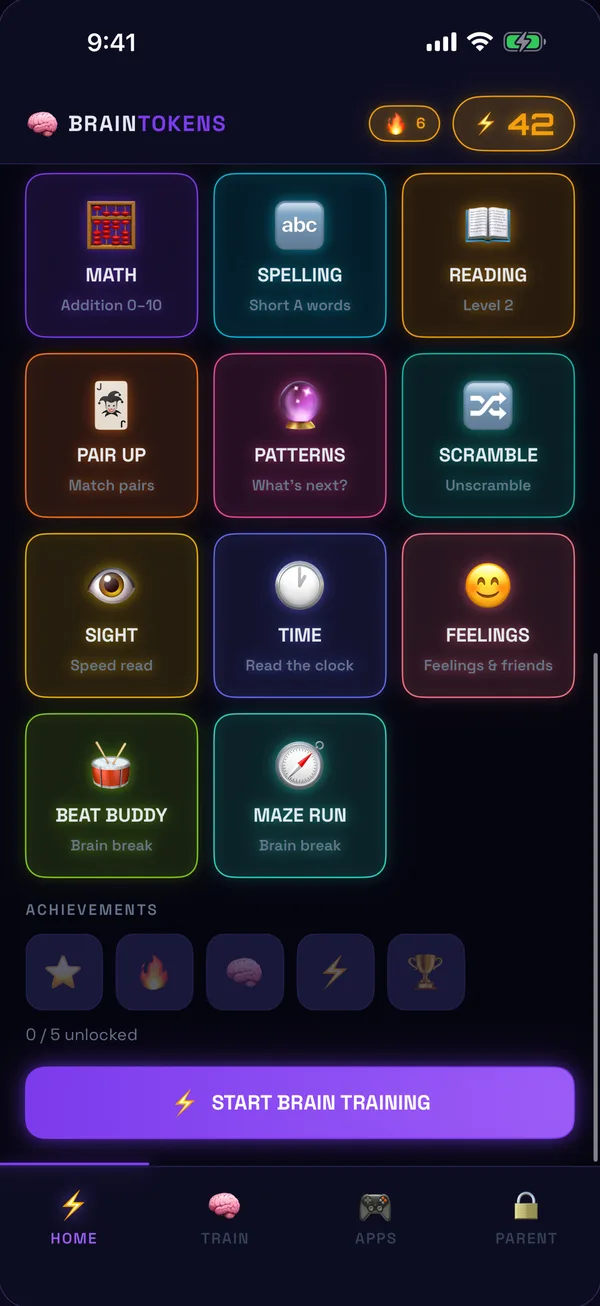
BrainToken home screen showing earned tokens and training modules
Real iOS Screen Time No data sold On-device only COPPA-conscious Made by a parent
How it works

The deal kids can't argue with

You set the apps. They do the learning. The system handles the rest — automatically.

STEP 01

Choose the apps

Pick which apps need to be earned — Roblox, YouTube Kids, Minecraft, anything.

STEP 02
+

Kids earn tokens

Short math, reading & spelling exercises mint tokens — real curriculum, real effort.

STEP 03

They unlock apps

Tokens trade for screen time. Earning it feels like winning — because it is.

STEP 04

Apps re-lock

When the earned time is up, the OS locks them again. No timers to swipe past.

Features

An education app and a parental control — in one

Real OS-level locking

Built on Apple's Screen Time & Family Controls. The lock is enforced by iOS — not a timer kids can dismiss.

2-14

Adapts to every age

Difficulty scales from toddlers tracing letters to tweens doing multi-step math. One app grows with them.

Curriculum-aligned

UFLI-based phonics and math-fluency progressions — the same research-backed methods schools use.

Parent dashboard

PIN-protected. See progress charts, set daily caps, adjust token prices — all from your phone.

Streaks & achievements

Daily streaks, badges and milestones keep kids coming back — the good kind of habit-forming.

Bedtime mode

After lights-out, tokens stop spending. Earned time can't be cashed in past bedtime.

8 ways to earn
Math Spelling Reading Memory Match Patterns Word Scramble Sight Words Telling Time
Inside the app

Learn first. Earn next. You stay in control.

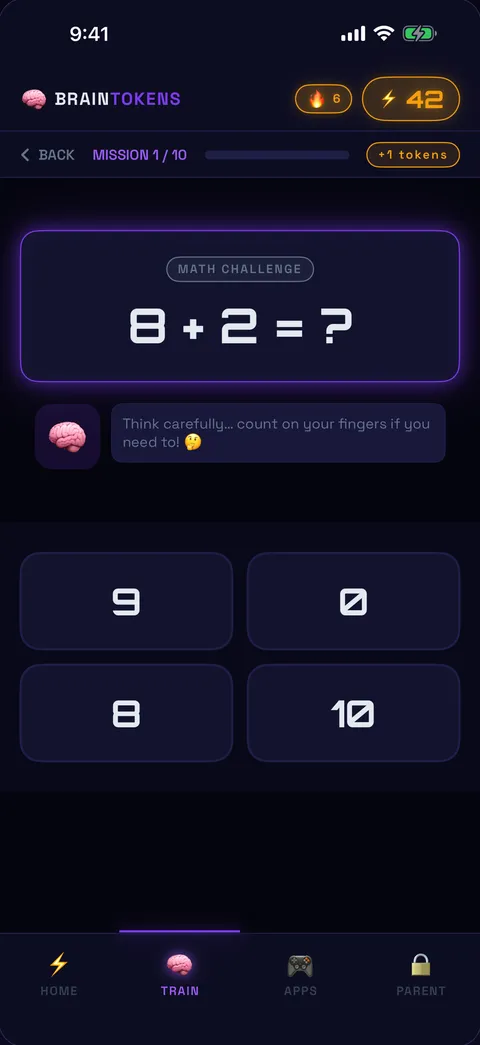
Math challenge screen
They learn first
Bite-size math, spelling & reading mapped to their grade.
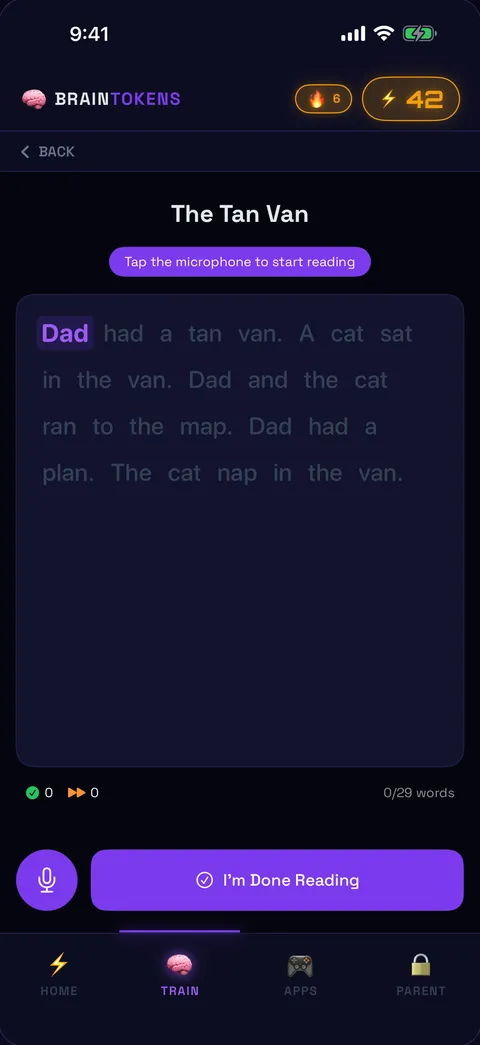
Read-aloud phonics screen
Phonics that sticks
Read-aloud practice that listens and rewards every word.
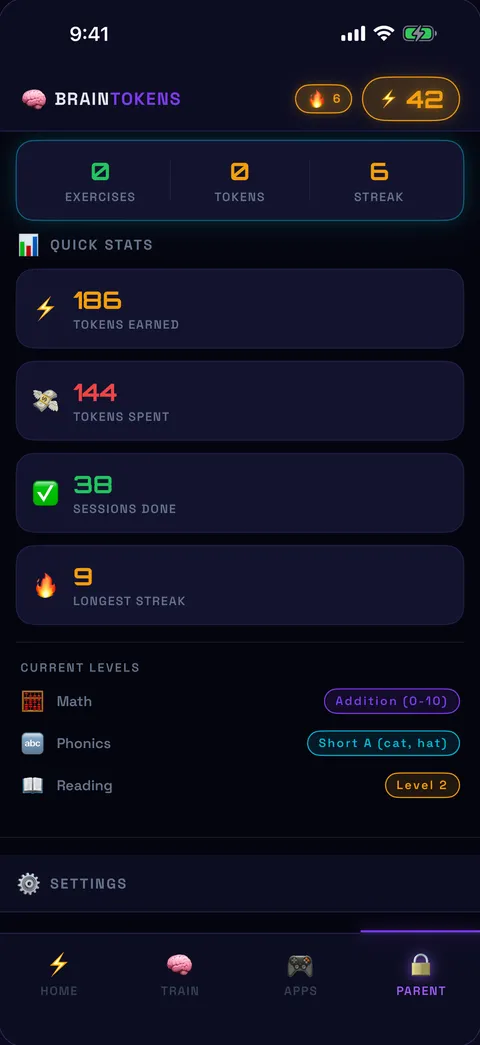
Parent dashboard screen
You stay in control
Set caps, prices and bedtime — all PIN-protected.
Why parents love it

The fight, finally over

01

You're not the bad guy

The system enforces the deal, not you. No more "five more minutes" standoffs — the rules are built in, fair, and consistent.

02

Learning without nagging

Daily practice happens because kids want the reward — not because you reminded them. Habits form quietly, on their own.

03

One app replaces two

An education app and a parental-control app, unified. One subscription, one setup, one less thing to manage.

The difference

The only app that teaches and controls the device

BrainToken
BrainToken
Education apps
Homer, Prodigy
Parental controls
OurPact, Bark
Apple
Screen Time
Teaches real academics
Locks apps at the OS level
Kids must learn to unlock
No nagging required
Some
One app does both jobs
No ads, no data sold
Some
Some
Pricing

One subscription. Both jobs done.

Choose monthly, or save with annual. Cancel anytime.

Monthly
$9.99/mo
Flexible, month to month.
All exercises & subjects
Full parent dashboard
Unlimited child profiles
Get Monthly
★ Best value
Annual
$49.99/yr
Just $4.17/mo — save 58%
Everything in Monthly
Two months free
Priority support
Get Annual

Payment is charged to your Apple ID at confirmation of purchase. Subscriptions renew automatically unless cancelled at least 24 hours before the end of the current period. Manage or cancel anytime in your App Store account settings.

FAQ

Questions, answered

Does it really lock the apps?
Yes — for real. BrainToken is built on Apple's Screen Time and Family Controls framework, so the lock is enforced at the operating-system level. It isn't an in-app timer your child can swipe past or force-quit. When their earned time runs out, iOS re-locks the app.
What ages is it for?
Ages 2 to 14. Difficulty adapts automatically — toddlers trace letters and match shapes, while older kids tackle multi-step math, spelling and reading comprehension. The same app grows with your child.
What's required to use it?
An iPhone or iPad running iOS 17 or later, and a child account set up through Apple Family Sharing. Setup takes a couple of minutes — you choose which apps to gate, and BrainToken handles the rest.
Do you collect my child's data?
No. All learning data stays on the device. We show no ads, we sell nothing, and we don't build profiles. BrainToken is COPPA-conscious by design — privacy is the default, not a setting. See our Privacy Policy for the full breakdown.
Does it really replace two apps?
Yes. Instead of paying for a separate education app and a separate parental-control app, BrainToken is both in one — a single subscription, a single setup, and one less thing on your phone.
Can I cancel anytime?
Absolutely. Manage or cancel anytime from your App Store subscription settings — no emails, no hoops, no hard feelings.
BrainToken mascot

Stop refereeing.
Start rewarding.

Give them screen time worth earning — and give yourself the evening back.

Download on the App Store
Now on the
App Store
No ads · No data sold · Ages 2–14